🚀 Credential Hub Extension Suite: Zero-Trust Password Vault + Universal Cookie & Session Manager Explore Extensions →
extension Official Browser Extensions

Supercharge Your Browser With Credential Hub

Two specialized Chrome extensions engineered for zero-trust security and developer agility. Autofill enterprise passwords and passkeys, or inspect and sync live session cookies directly with your vault.

shield Credential Hub Extension cookie Credential Cookies Extension compare Compare Features
PASSWORD & CREDENTIAL VAULT
Credential Hub Icon

Credential Hub Extension

v1.0.0 Manifest V3 Zero-Knowledge Autofill

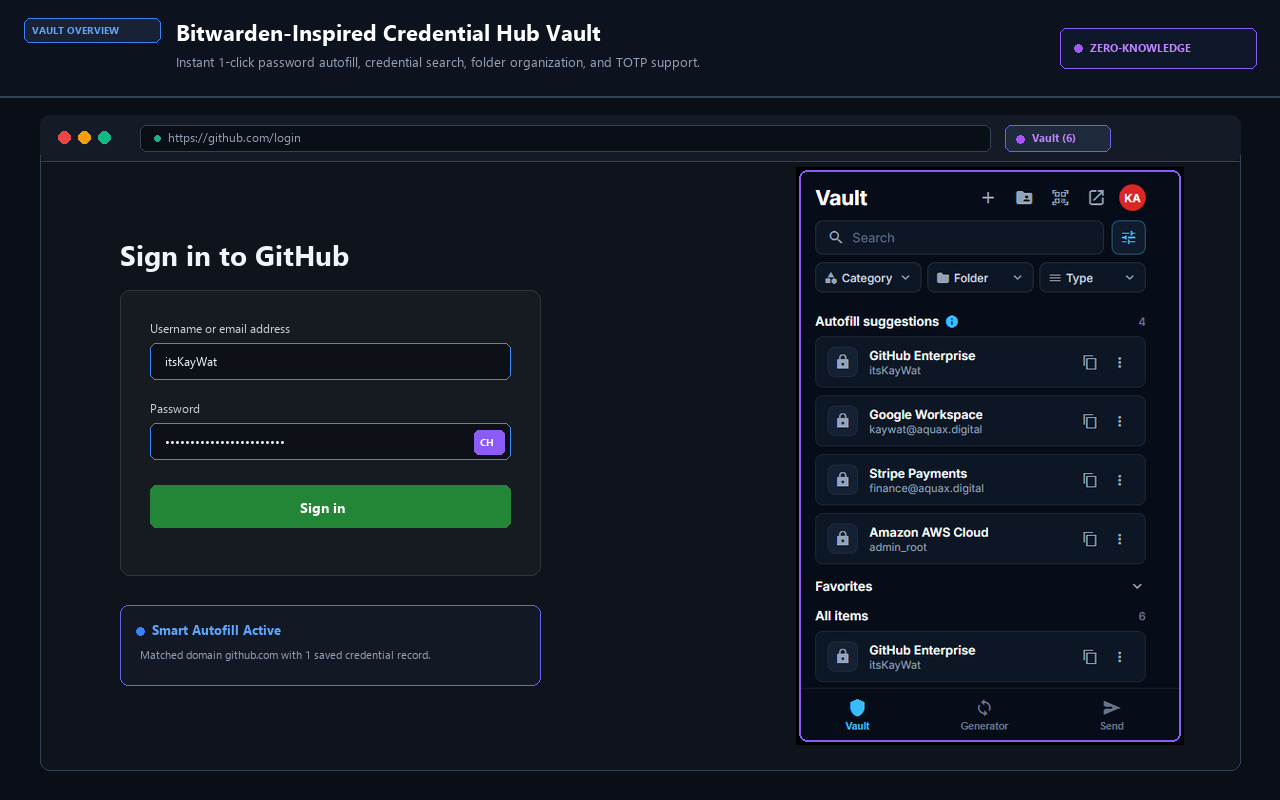
The zero-knowledge password vault and identity autofill extension. Protect your logins, fill passwords with smart overlay prompts, manage WebAuthn passkeys, and collaborate securely with team vaults.
Credential Hub Extension Interface
  • verified_user
    Zero-Knowledge Cryptography: Client-side AES-256-GCM encryption. Your master password and plaintext data never touch remote servers.
  • flash_on
    Instant Smart Autofill: Automatic badge overlay on web login forms with 1-click credential insertion and 2FA code auto-generation.
  • fingerprint
    Passkey & WebAuthn Engine: Save and authenticate with biometric passkeys across modern web services.
  • group
    Team & Organization Sharing: Access shared project logins, API keys, and client credentials with granular permissions.
  • dock
    Side Panel & Hotkey Access: Dock persistently in Chrome's side panel or invoke instantly via Ctrl+Shift+Y.
Active & Ready Repository: itsKayWat/Credential-Hub_crx
Direct Archive: Download ZIP License: MIT Zero-Trust
How Both Extensions Work Together

Credential Hub and Credential Cookies form an end-to-end security architecture. One handles persistent logins and account autofill; the other manages ephemeral session cookies and tokens.

1

Vault Logins & Passkeys

Credential Hub Extension stores encrypted passwords, TOTP codes, and WebAuthn credentials in your zero-knowledge vault, automatically autofilling login screens.

2

Inspect & Capture Cookies

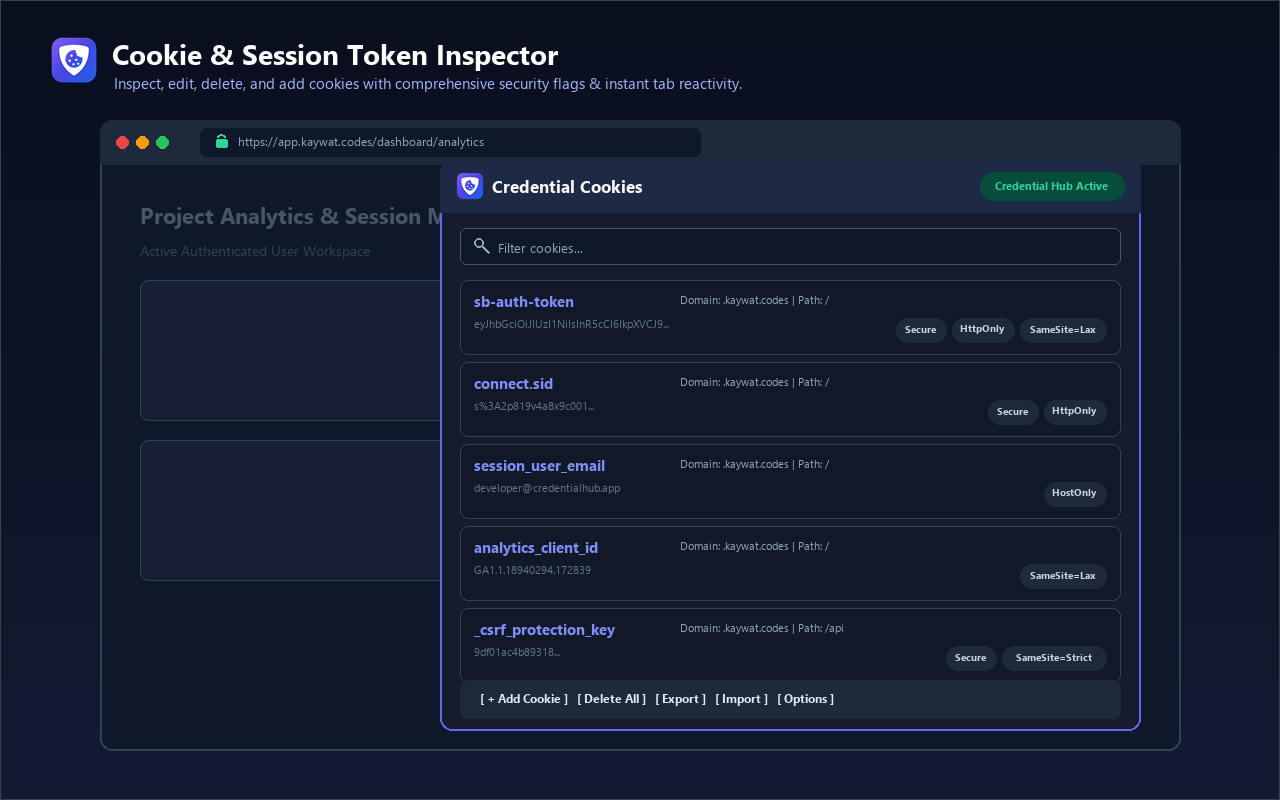
Credential Cookies monitors active authentication cookies, JWT tokens, and session keys directly in the active browser tab or Chrome DevTools.

3

1-Click Vault Synchronization

Push live session tokens straight from Credential Cookies into your Credential Hub vault for automated API replay, team sharing, or safe archival.

Extension Feature Comparison

Find the exact tool you need or run them simultaneously with zero conflicts.

Capability / Feature Credential Hub Extension Credential Cookies Extension
Primary Workflow Password Vault & Identity Autofill Cookie & Session Token Management
Web Form Autofill check Automatic Overlay —
Live Cookie Inspector & Editor — check Real-time Inline Edit
Browser-Wide Export (Netscape & JSON) — check Auto-download + Copy
Passkeys & WebAuthn Support check Built-in —
Credential Hub Vault Bridge check Native Sync check 1-Click Session Push
Chrome DevTools Tab — check Dedicated Tab
Chrome Side Panel Support check Yes check Yes
Manifest V3 Compliance check Yes check Yes
Zero Tracking & Privacy First check 100% Client-side check 100% Client-side

Installation & Sideloading FAQ

Step-by-step instructions for getting started in seconds.

help_outline How do I install from the Chrome Web Store?

Click the "Install Extension" button above to visit the listing in the Chrome Web Store. Click "Add to Chrome" and approve the installation. The extension icon will appear in your browser toolbar immediately.

developer_mode How do I load the extension unpacked for development?

Download the ZIP from GitHub and extract it. In Google Chrome, navigate to chrome://extensions, enable Developer mode in the top-right toggle, and click Load unpacked. Select the folder containing manifest.json.

sync_alt Do the two extensions interfere with each other?

No. They are built on distinct Manifest V3 scopes. Credential Hub focuses on credentials, logins, and form autofill. Credential Cookies focuses on cookie inspection and HTTP session tokens. You can run both extensions simultaneously without conflict.

security Is my cookie and credential data private?

Yes. Both extensions operate strictly client-side. We do not inject ads, track browsing activity, or collect telemetry. Read our full Zero-Knowledge Privacy Policy for cryptographic details.